
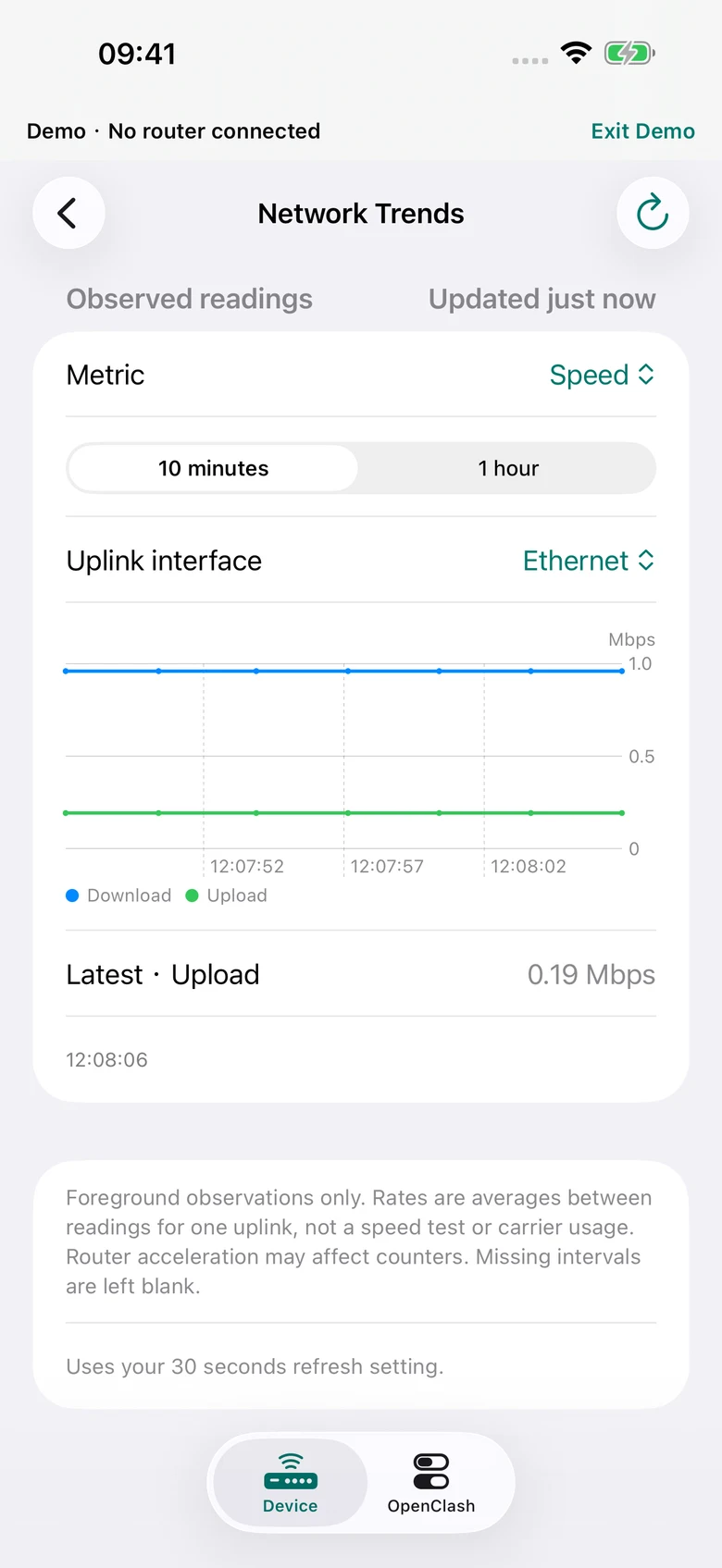
See observed trends
Compare interface upload/download rates, signal, battery and temperature over observed intervals. Gaps stay blank; this is not a speed test.
Mudi7 Remote for iPhone, iPad & Mac
Check your router, manage Wi-Fi and reach your existing OpenClash setup. From your iPhone, iPad or Mac over local Wi-Fi.
US $19.99 once · iOS / iPadOS 17+ · macOS 14+
For GL.iNet Mudi 7 · GL-E5800 family.
Your router is required and sold separately.
LOCAL CONTROL. EVERYDAY CLARITY.
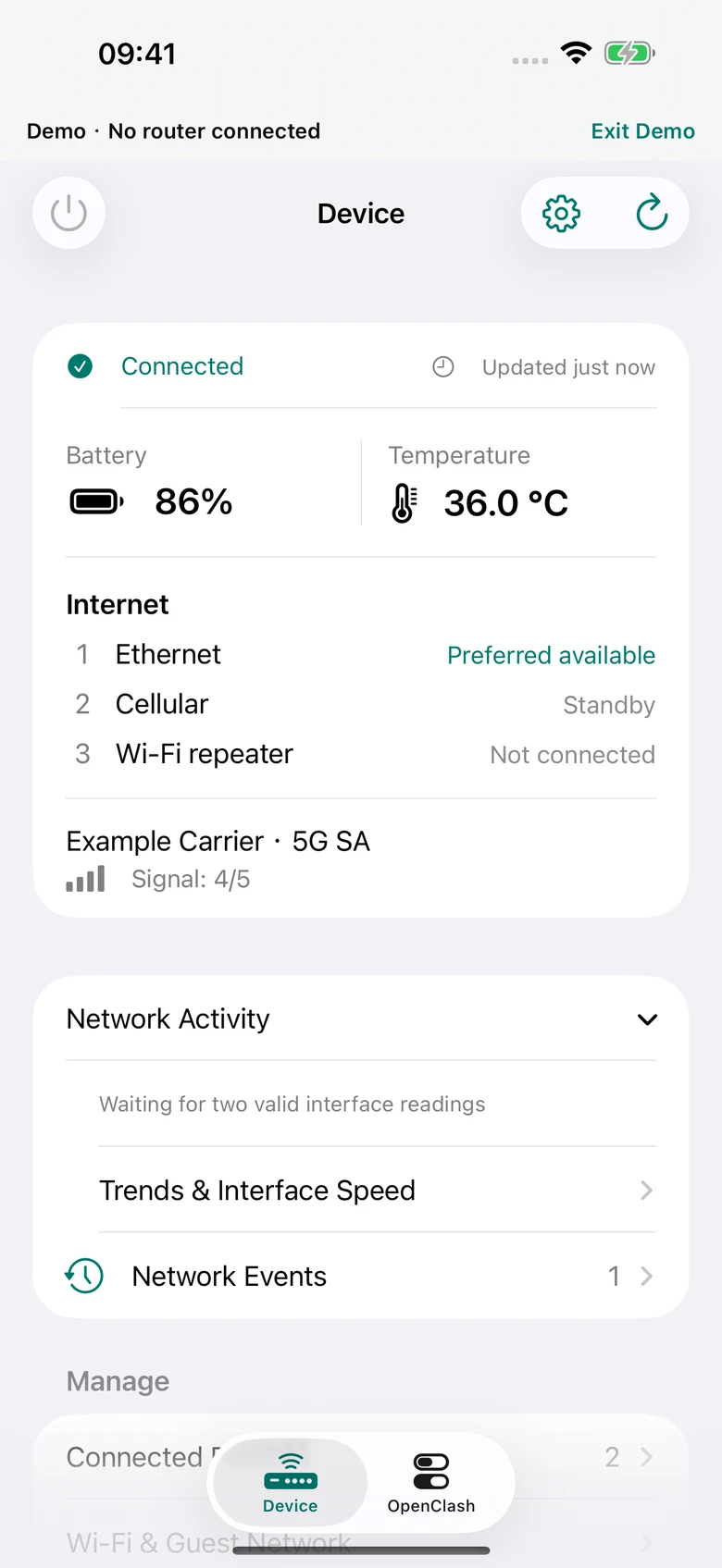
Two focused areas: Device for your Mudi 7, OpenClash for your existing proxy setup. Version 1.5.0 is available on iPhone, iPad and Mac.
Battery, temperature, signal and reading ages. Know when the information was last read.
Wi-Fi, guest access, connected devices, SIM and supported router VPN controls.
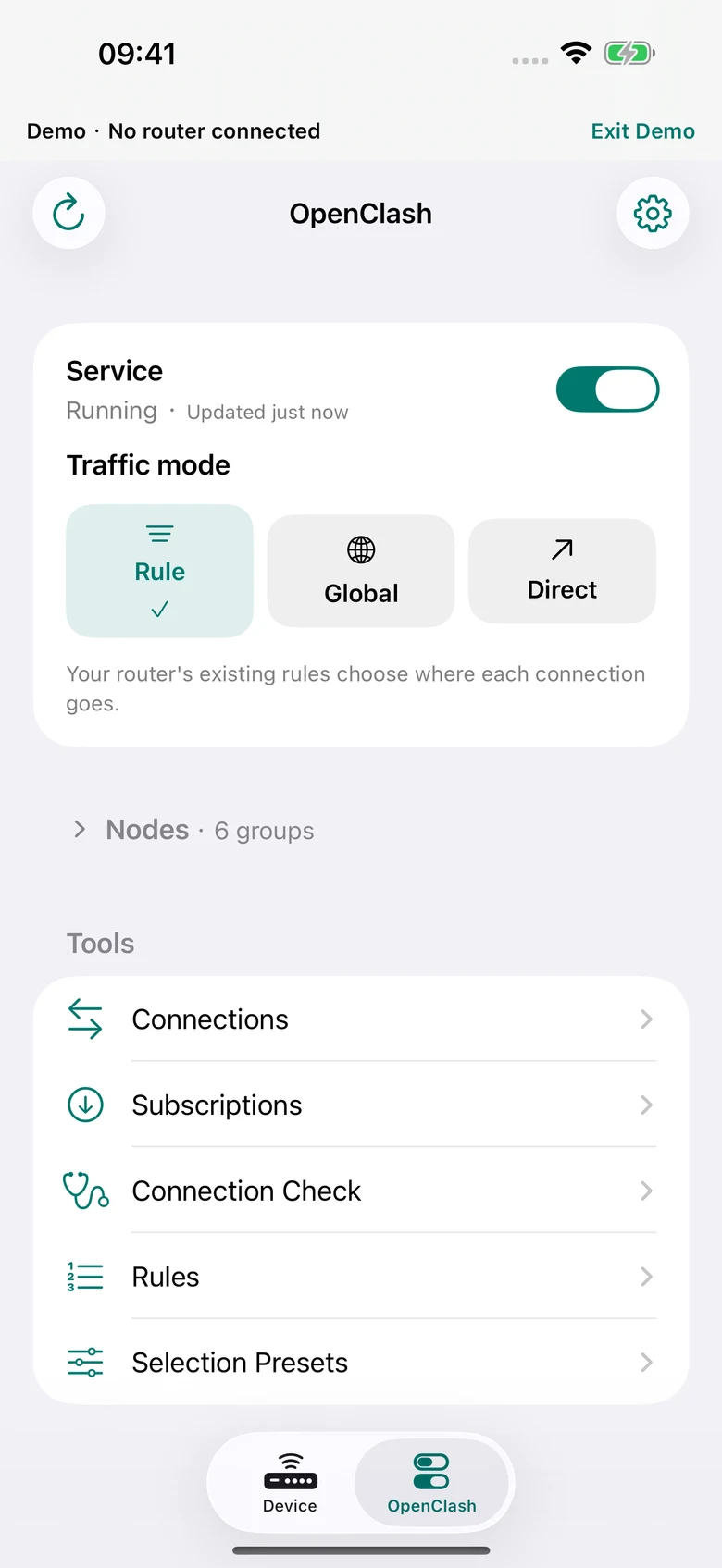
Use your existing OpenClash groups and rules. No new nodes or VPN subscription to buy from us.
YOUR EXISTING OPENCLASH
Start or stop the service, switch Rule / Global / Direct, and choose the existing node for a group.
Requires OpenClash already installed and configured. No nodes, subscriptions, custom rule editor or full configuration switching included.
Explore the OpenClash tools →VPN ON MUDI 7
Manage supported WireGuard and OpenVPN clients and servers. Bring your own configurations.
No phone or Mac VPN tunnel or supplied VPN service. Features depend on firmware; service conflicts are guarded. Inbound access can be limited by CGNAT.
Understand router VPN control →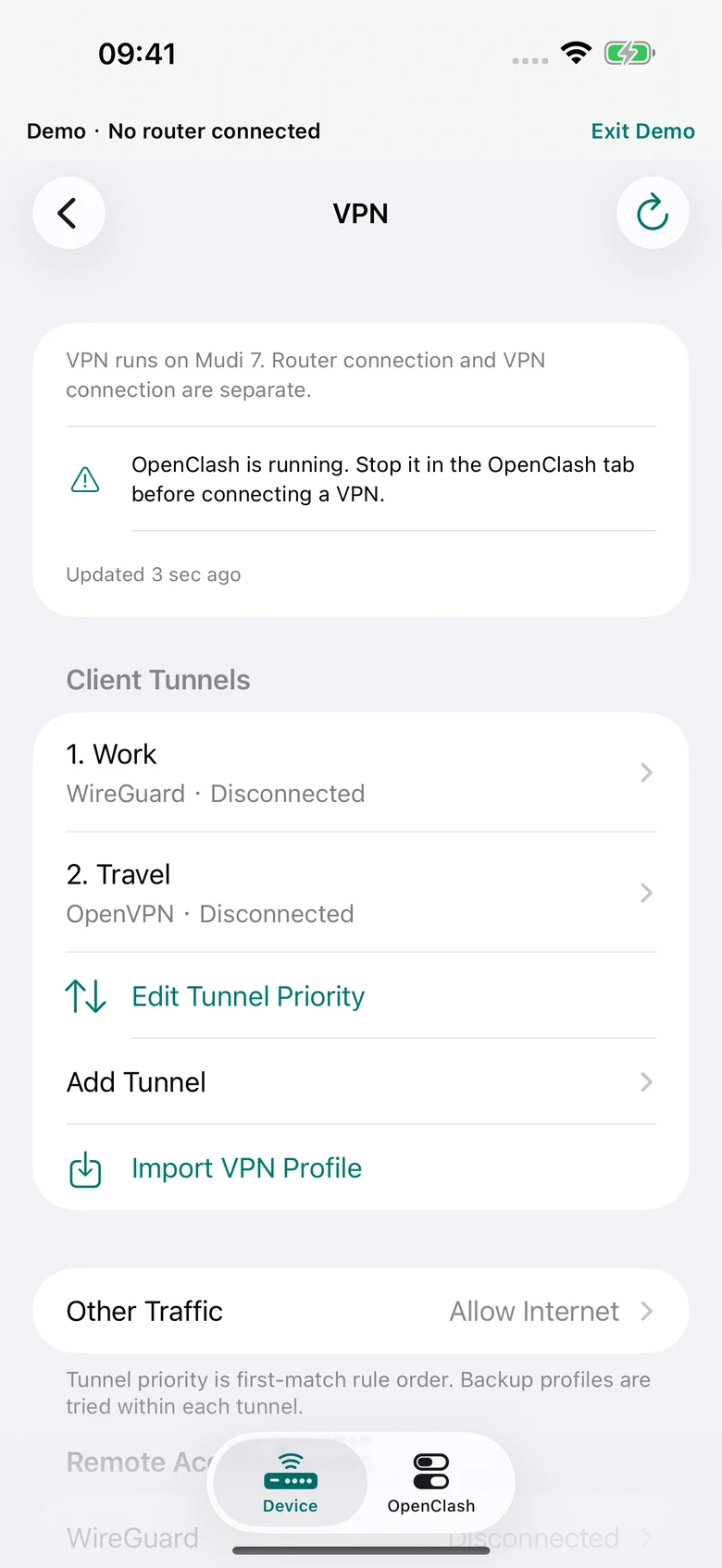
NETWORK INSIGHTS · AVAILABLE NOW
Follow the readings your app actually observes. Trends, events and layered diagnostics are included in version 1.5. These actual app screens use fictional Demo data.
Compare interface upload/download rates, signal, battery and temperature over observed intervals. Gaps stay blank; this is not a speed test.
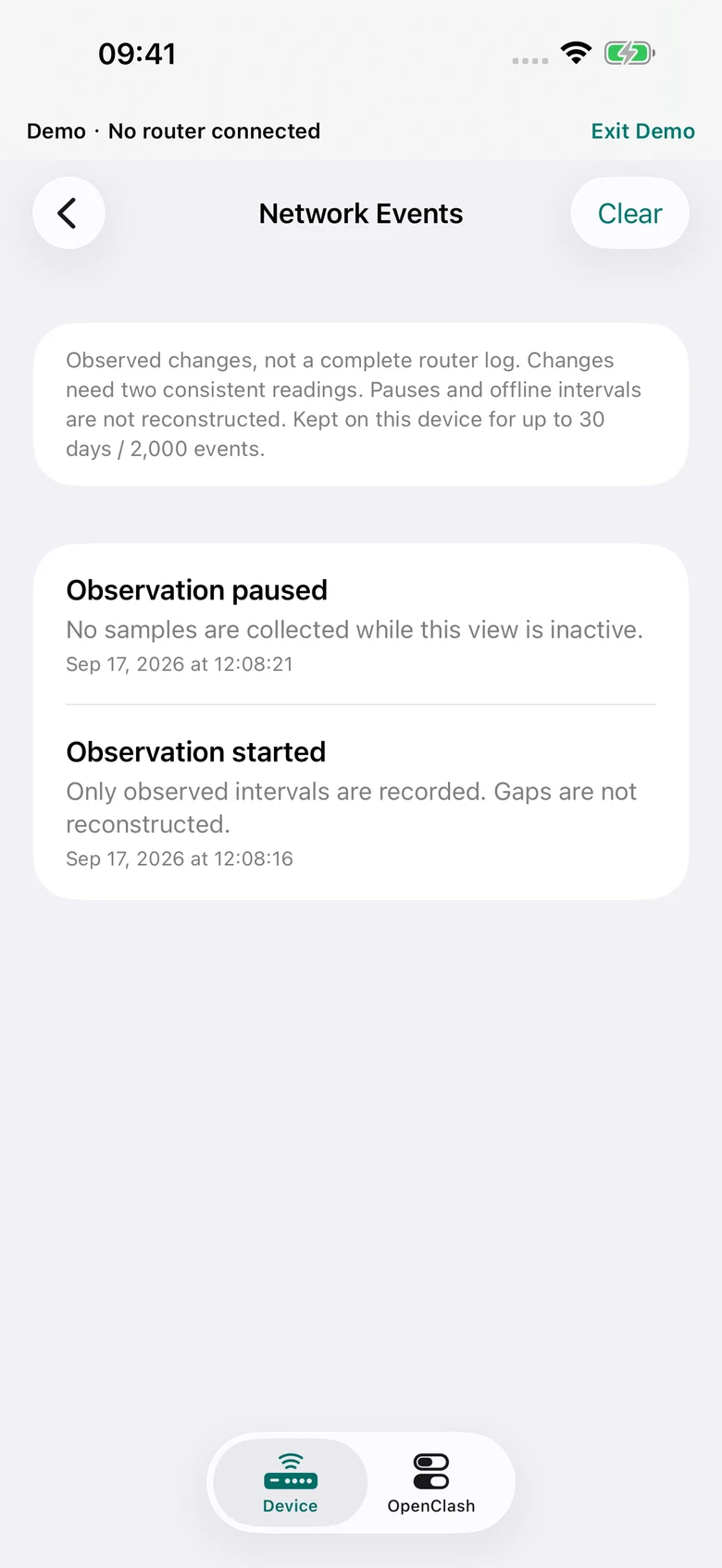
Review observed network changes and pauses. Retained locally for up to 30 days or 2,000 events; clear them whenever you choose.
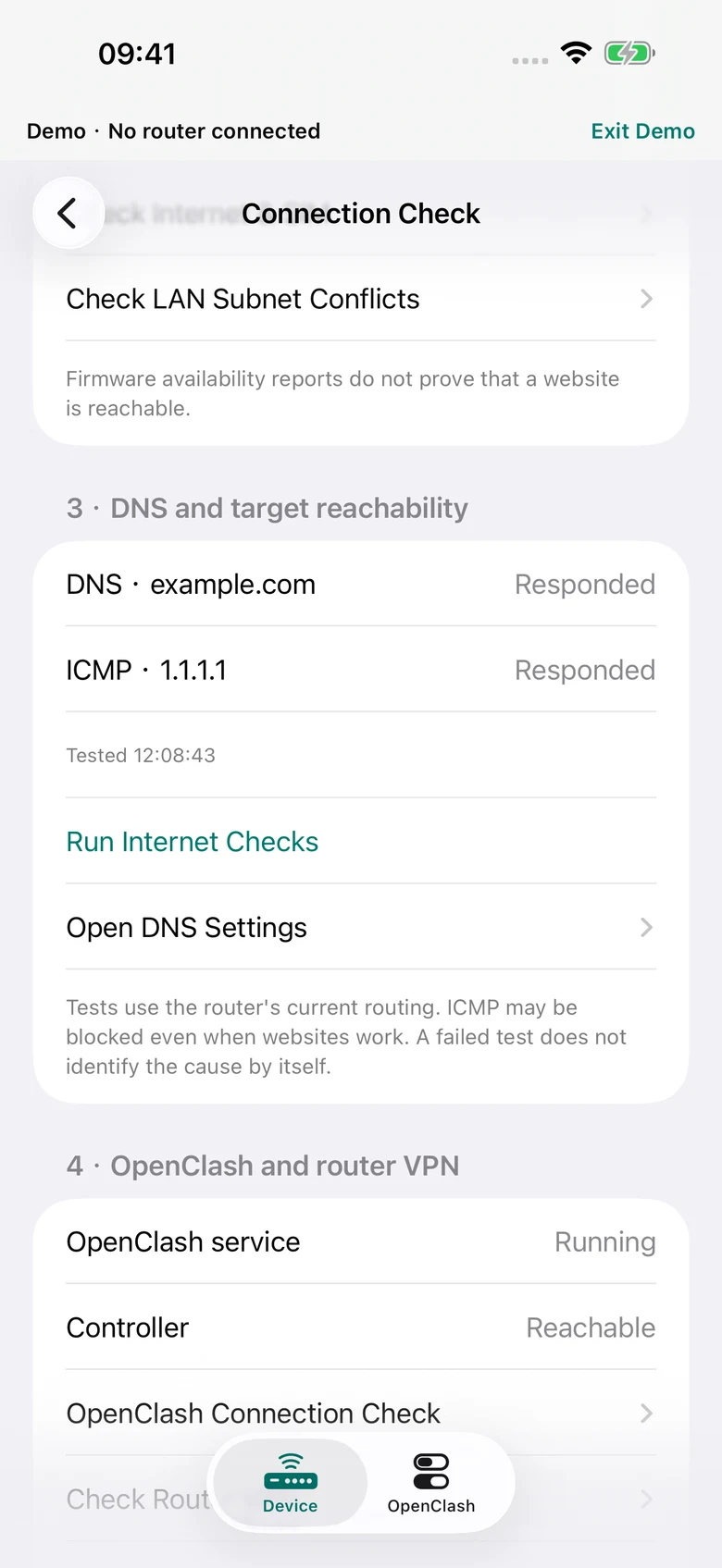
Separate app-to-router access, uplink availability and explicit DNS/reachability checks. External tests run only after confirmation.
On iPhone and iPad, choose battery, temperature or signal in the configurable widget. It shows a saved reading and its age, without polling your router.
Restart and shutdown sit in the Device power menu. Supported actions require a final slide to confirm. Physical power-on is needed after shutdown.
Local History checks resources and available tools. It does not install a recorder or promise continuous background collection.
DETAILS THAT MAKE A DIFFERENCE
Explore the tools included in version 1.5. Feature availability depends on your firmware and installed components.
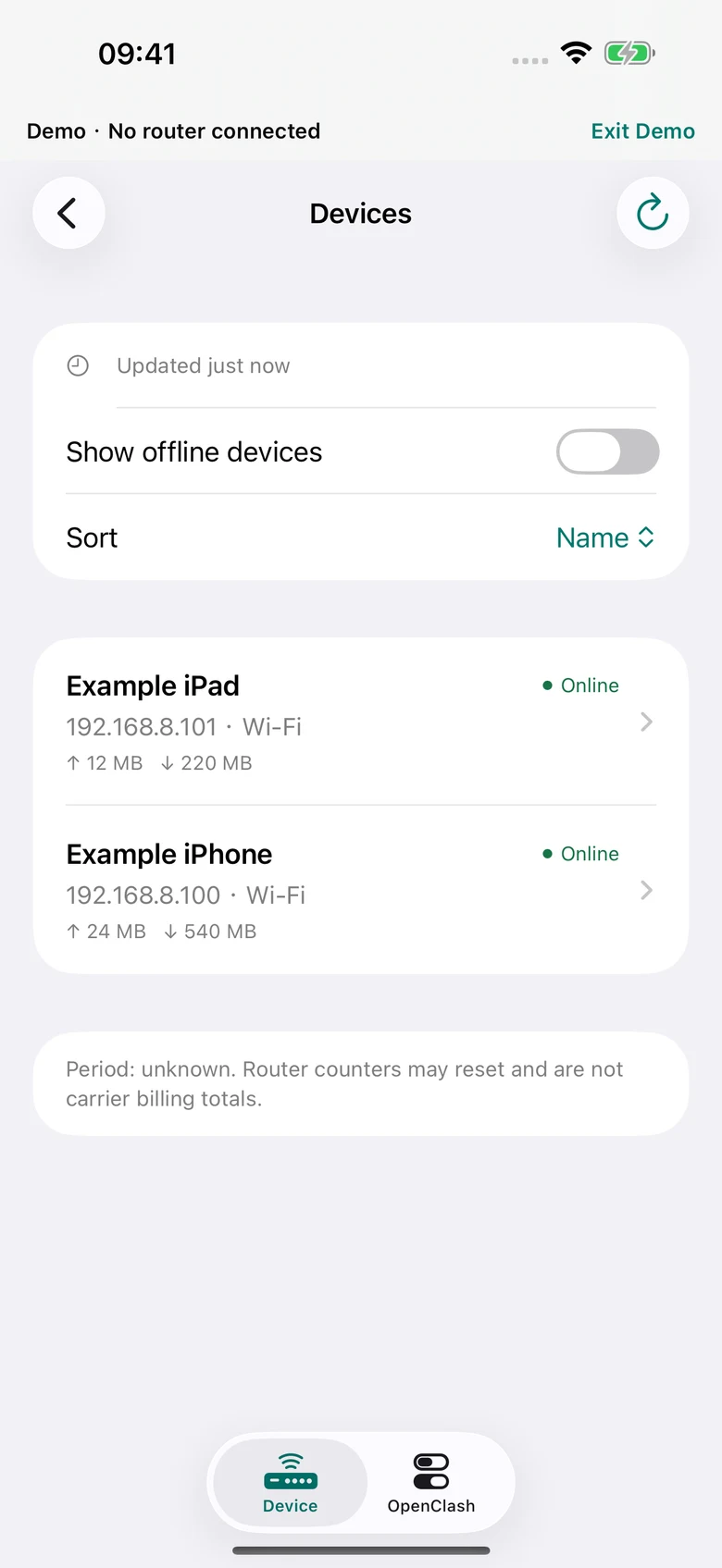
Online/offline status, router-reported usage, supported device names, access controls, speed limits and fixed IP reservations.
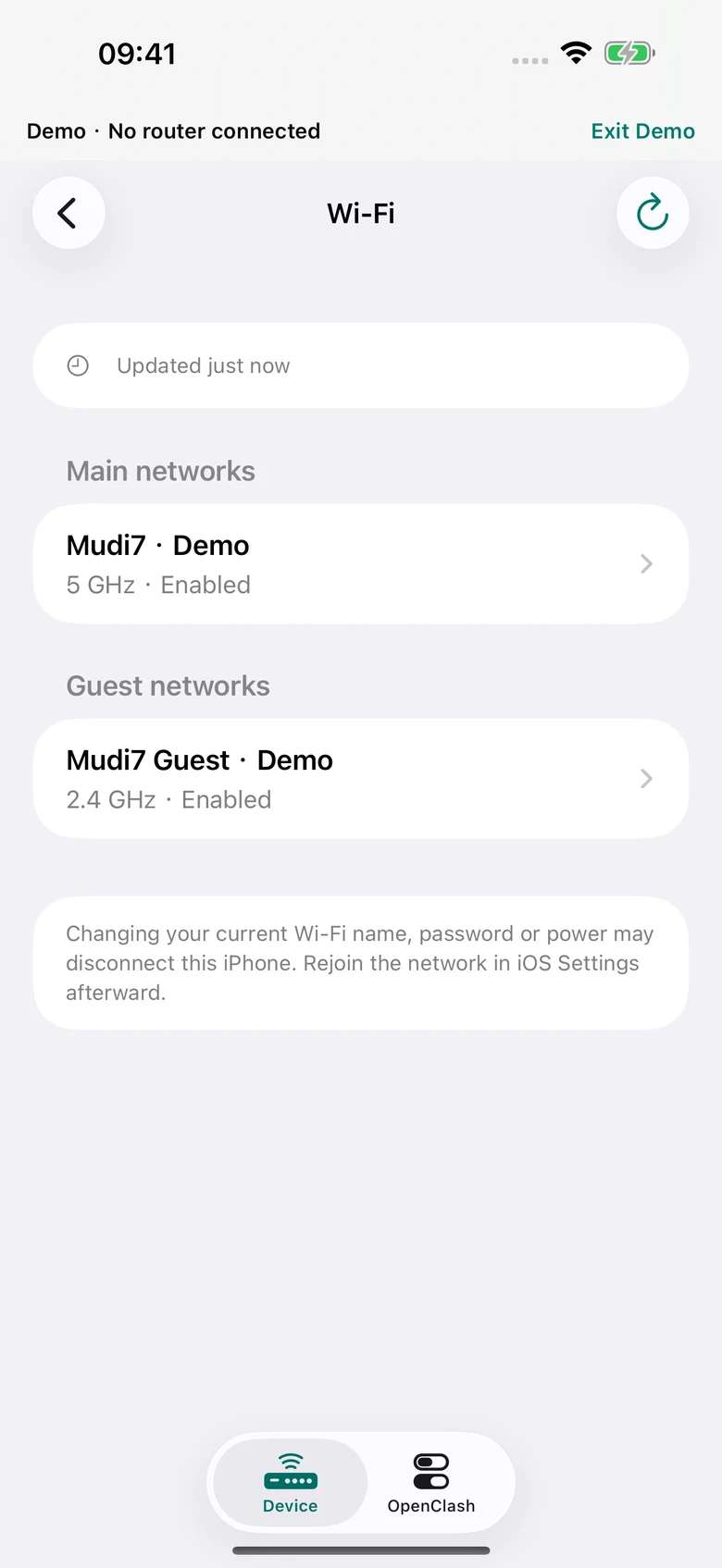
Supported main and guest settings, Wi-Fi QR sharing and controls for everyday access. Inactive radio combinations remain protected.
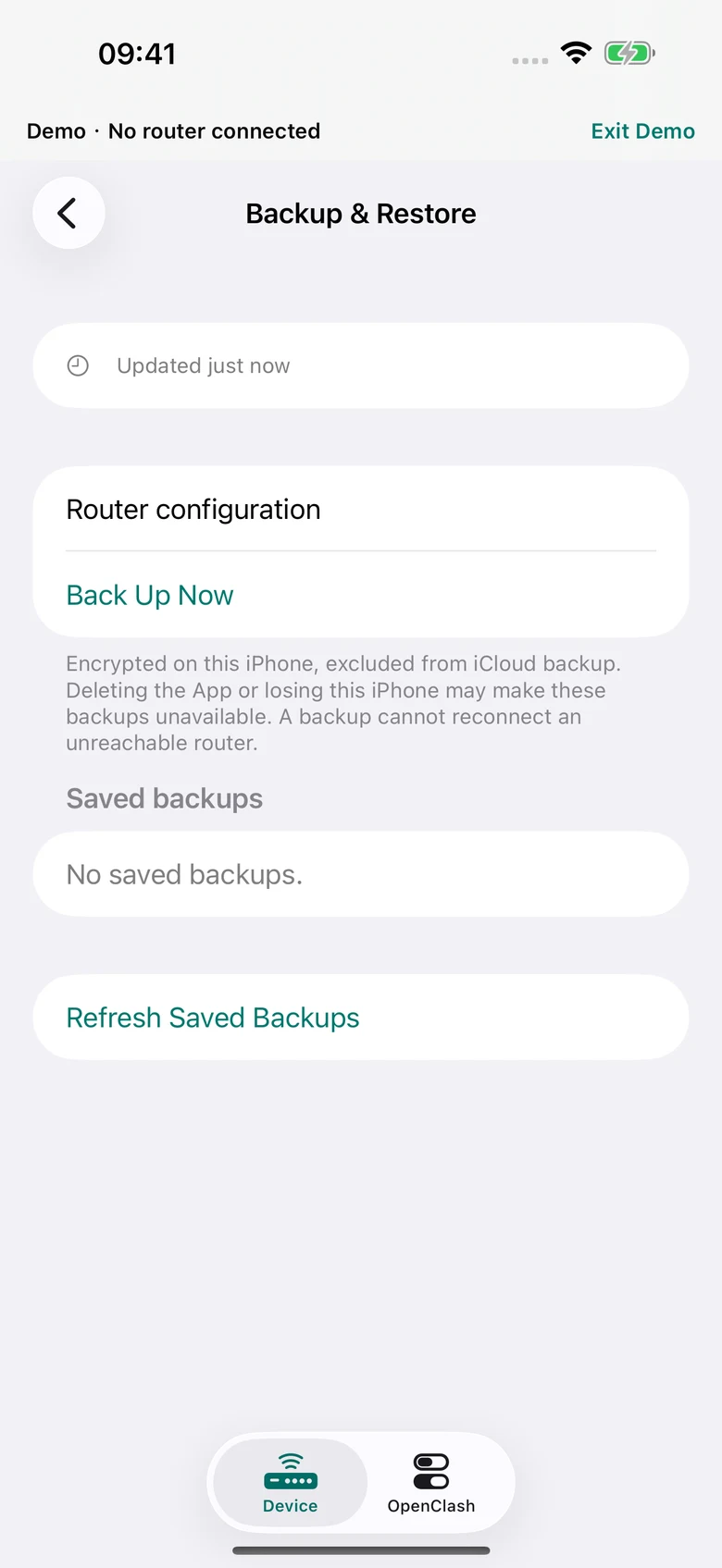
Encrypted local archives with included-file lists and same-router/firmware checks. Not a complete disk or firmware backup.
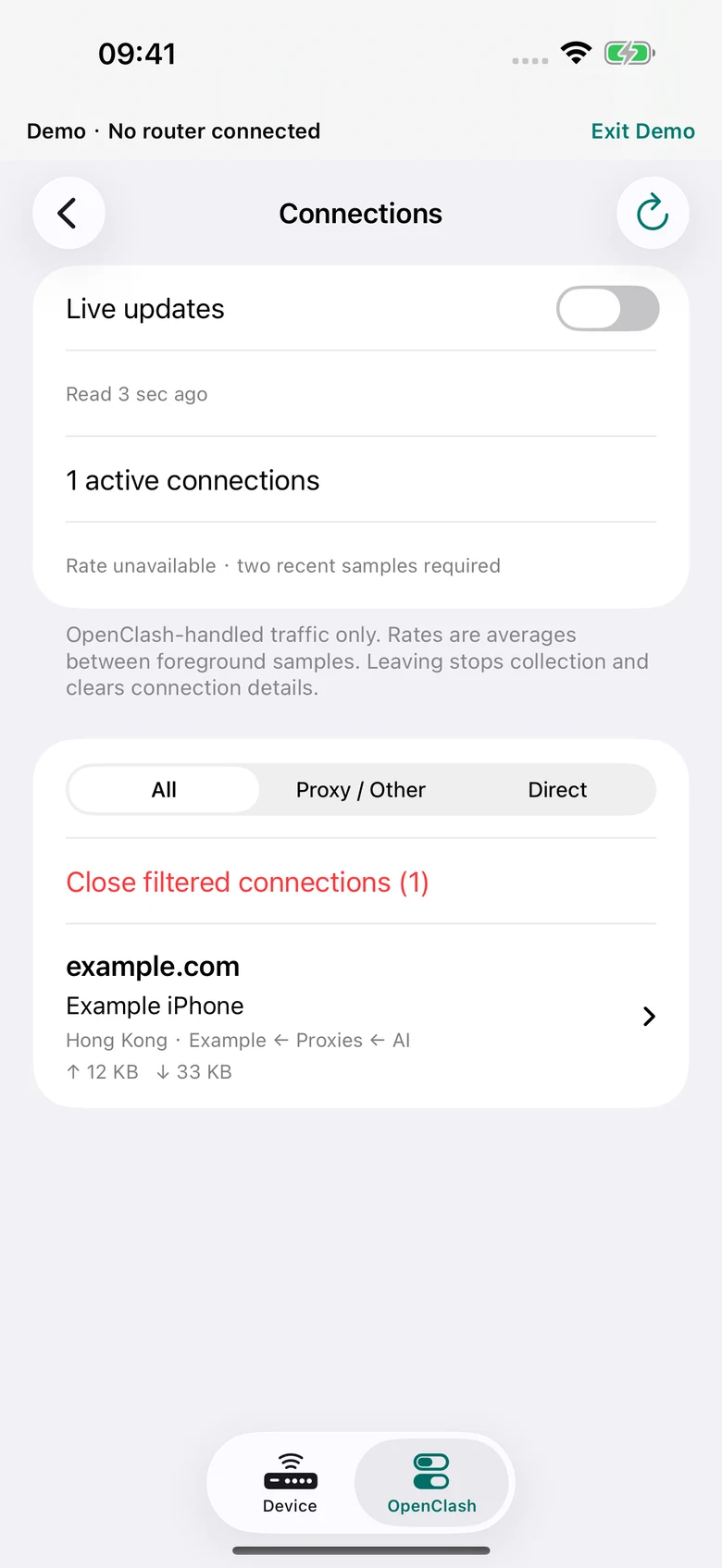
Inspect source and destination metadata, routing paths and counters. Closing a connection does not permanently block a device.
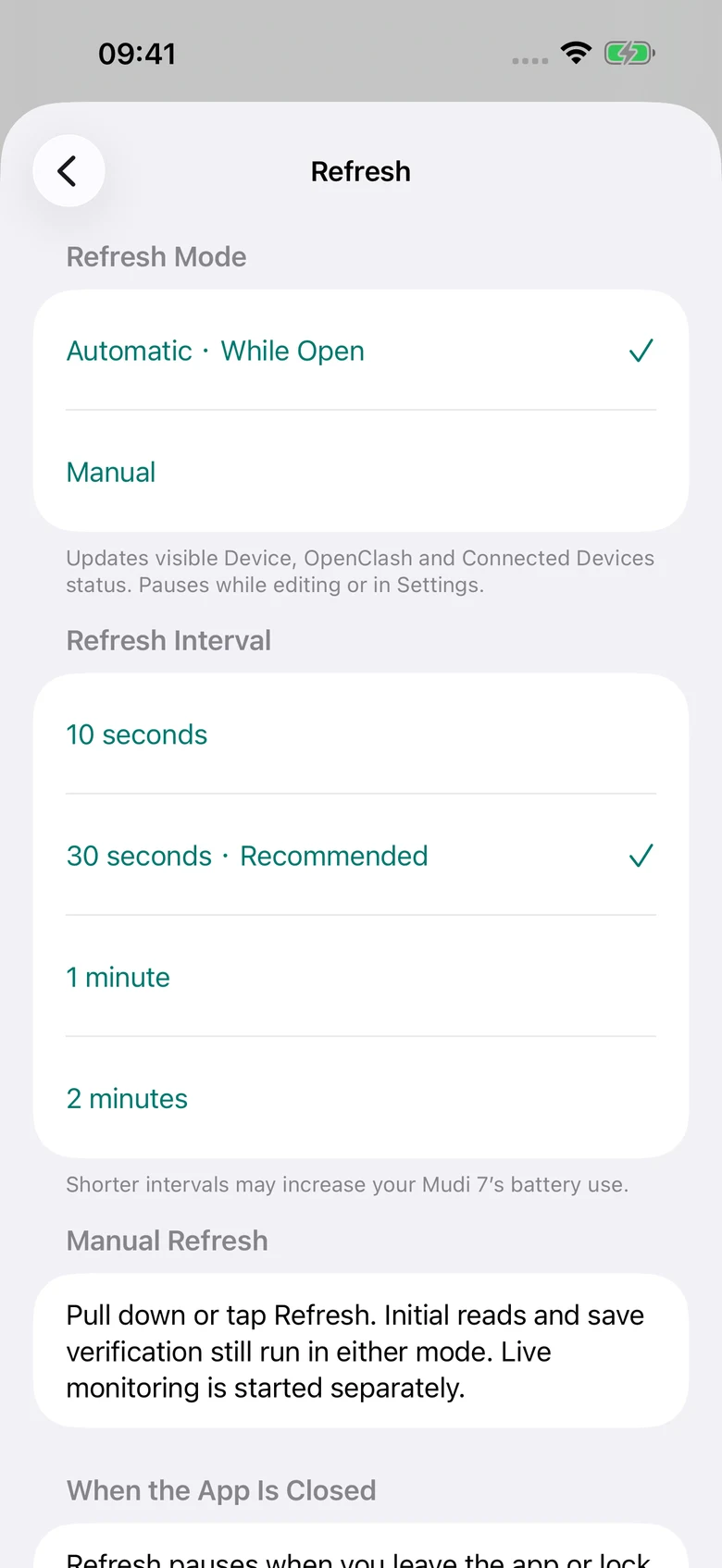
Automatic while open or manual. Choose 10, 30, 60 or 120 seconds. Frequent reads may use more router battery.
ALSO INSIDE DEVICE
Usage counters are not carrier billing. Router history requires a compatible recorder already installed. No component is installed automatically.
NATIVE MAC APP · AVAILABLE NOW
A native macOS window with a clear sidebar, keyboard shortcuts and room to see more. Check your Mudi 7 and manage its existing OpenClash setup from your desk.
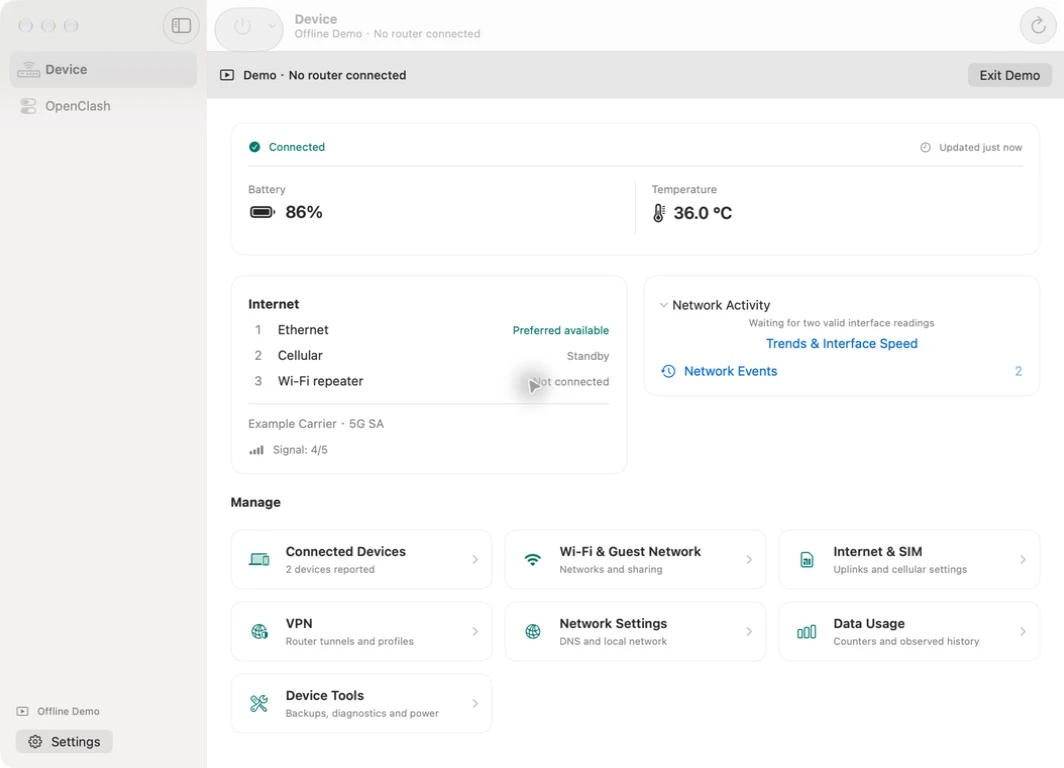
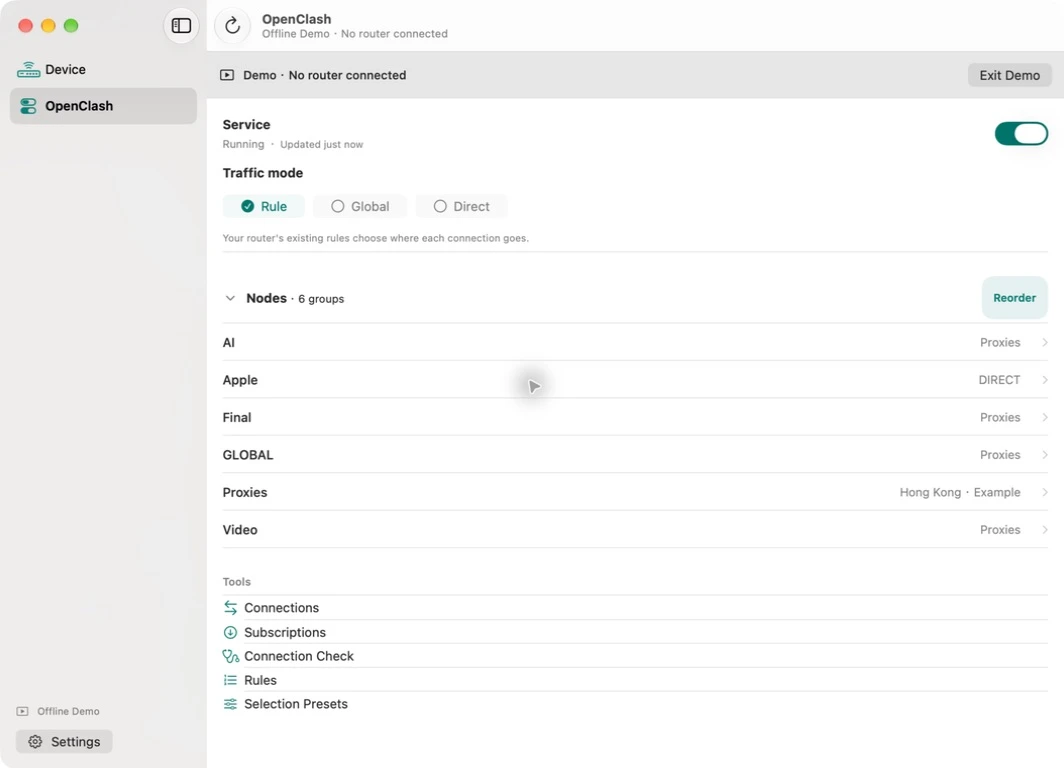
Choose a traffic mode, expand your Nodes groups and reach connection, rule and provider tools.
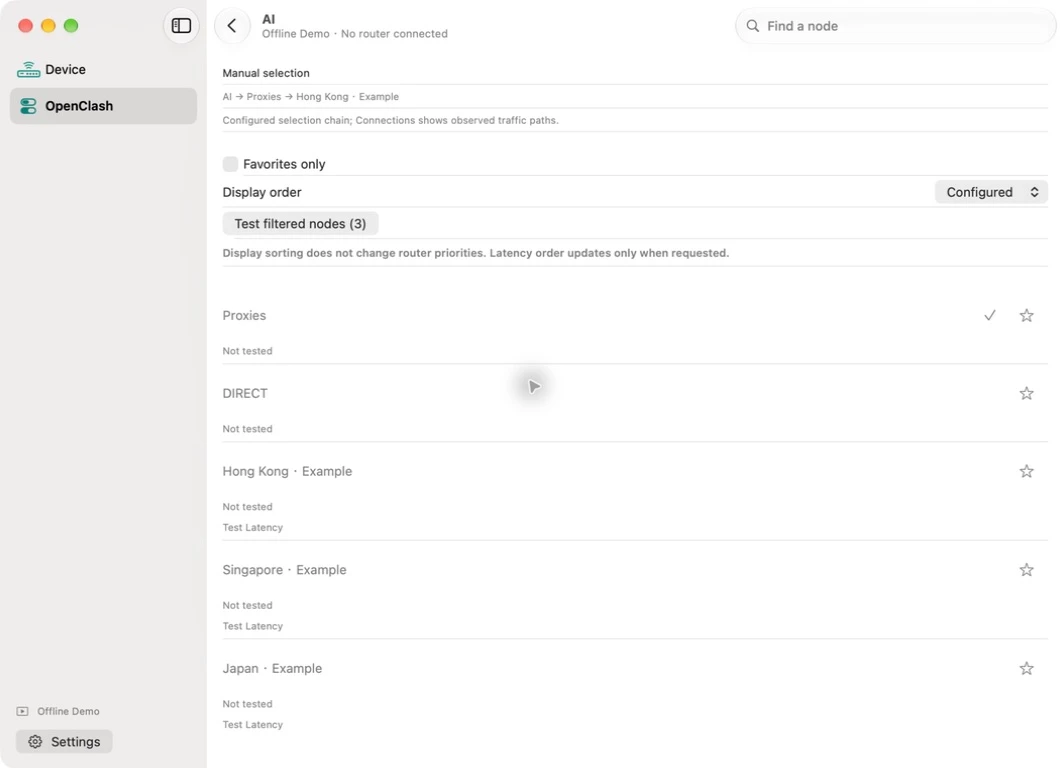
Search existing nodes, keep local favorites and see how group selections lead to an exit.
Use the app on iPhone, iPad and Mac with the same Apple Account. US $19.99 once, with no subscriptions or in-app purchases.
Connect each device to your router and sign in once. Verified credentials stay in that device’s Keychain; they do not sync between devices.
Mac supports file-based VPN imports and foreground refresh. Widgets and camera QR scanning are available on iPhone and iPad only.
CHECK YOUR SETUP
Mudi 7 is GL.iNet’s portable 5G and Wi-Fi 7 router. This independent companion app targets the GL-E5800 family.
GL-E5800, GL-E5800NA or GL-E5800EU. Hardware sold separately.
iPhone with iOS 17+, iPad with iPadOS 17+, or Mac with macOS 14+.
Same IPv4 subnet, Local Network permission and administrator SSH access.
Device controls target compatible GL.iNet firmware 4.10.
NA and EU model recognition is included; full physical validation of both regional variants remains pending. Unknown or unconfirmed devices remain read-only. Earlier Mudi (GL-E750) and Mudi V2 (GL-E750V2) are outside this app’s supported range.
GL-E5800 identifies the Mudi 7 family and is a recognized router model string. Check the hardware label or purchase record for the regional variant.
GL-E5800NA and GL-E5800EU have different cellular band tables. Model recognition in the app does not establish carrier compatibility or full regional hardware validation.
Check GL.iNet’s official specifications and your carrier’s requirements before buying hardware.
NEARBY BY DESIGN
Encrypted SSH connects directly to your paired router. The verified login stays in device-only Keychain; reconnections check its identity.
No developer account, relay, advertising SDK or analytics SDK in the app.
Stay on the same local Wi-Fi subnet. Router internet services and explicit external checks have their own connectivity needs.
Explore a clearly labeled, fictional setup inside the app before connecting your router. Demo settings reset on exit.
Read the privacy policy for local storage, sensitive router information, exports, support email and third-party services. No system can promise absolute security.
AVAILABLE ON THE APP STORE
One purchase for iPhone, iPad and Mac with the same Apple Account. No subscriptions or in-app purchases. Your compatible Mudi 7 router is required.
US $19.99
View on the App Store ↗Local pricing varies. Unavailable in mainland China and France. Current public version: 1.5.0.
A FEW USEFUL ANSWERS
Yes. The app targets GL.iNet Mudi 7: GL-E5800, GL-E5800NA and GL-E5800EU. You need your own router, administrator credentials and local Wi-Fi access. Hardware is sold separately. Device-setting controls target compatible firmware 4.10. NA and EU model recognition is included, but both regional variants have not been fully tested on physical hardware. Earlier Mudi and Mudi V2 models are outside the supported range.
Local router control does not require an internet connection. Your iPhone, iPad or Mac still needs Wi-Fi access to the router on the same local IPv4 subnet. Router internet traffic and third-party proxy services need their own connectivity.
No. The app controls an OpenClash installation that is already configured on your router. It does not install OpenClash, provide nodes or subscriptions, or create a VPN tunnel on your iPhone, iPad or Mac.
Yes. Version 1.5.0 is available for iPhone, iPad and Mac. The US price is $19.99, paid once, with no subscription or in-app purchases. Local-currency prices vary. Mainland China and France are excluded. One purchase covers all three platforms with the same Apple Account.
No. Mudi7 Remote is independently developed and is not affiliated with or endorsed by GL.iNet or the OpenClash project.
No. Mudi7 Remote is designed for local Wi-Fi control while the app is active. It does not connect through a cloud relay or over the public internet.
No. Automatic app reads stop when you leave or lock the app. The iPhone and iPad widget shows a saved reading and its age. Version 1.5 trends cover observed intervals; its local events cannot reconstruct unobserved time. Traffic history needs a compatible recorder already on the router. The app installs no recorder.
Set up native macOS local router control, separate Keychain pairing, keyboard shortcuts and file imports. One purchase for iPhone, iPad and Mac.
Read guide →Understand observed traffic, local event retention, refresh intervals and explicit connection checks. No continuous background recorder.
Read guide →Identify the GL.iNet Mudi 7, understand GL-E5800NA and GL-E5800EU, and check what Mudi7 Remote supports on iPhone, iPad and Mac.
Read guide →Prepare local Wi-Fi, find your router address, and connect Mudi7 Remote using administrator credentials and Local Network permission.
Read guide →Explore existing node groups, connection snapshots, provider collections, ordered rules and selection presets in Mudi7 Remote.
Read guide →Understand router VPN profiles, tunnel priorities and how they differ from OpenClash and a VPN tunnel on your phone or Mac in Mudi7 Remote.
Read guide →