
Available in version 1.5: network trends, local events and layered diagnostics are included on iPhone, iPad and Mac. The screenshots below show the actual iPhone interface with fictional Demo data.
Mudi7 Remote 1.5 adds observed network trends, a local event timeline and a layered Connection Check. They help explain what the app has actually read from your Mudi 7. They do not turn your device into an unattended monitoring server.
Read trends without mistaking them for a speed test
Open Device → Network Activity → Trends & Interface Speed. Choose Speed, Signal, Battery or Temperature, then a 10-minute or one-hour window. Where multiple uplinks are available, choose an interface.
Upload and download rates are averages between valid router counter readings. They describe observed traffic, not the maximum speed of your mobile connection. The app avoids bridging a pause, counter reset or source change. Missing time remains blank.
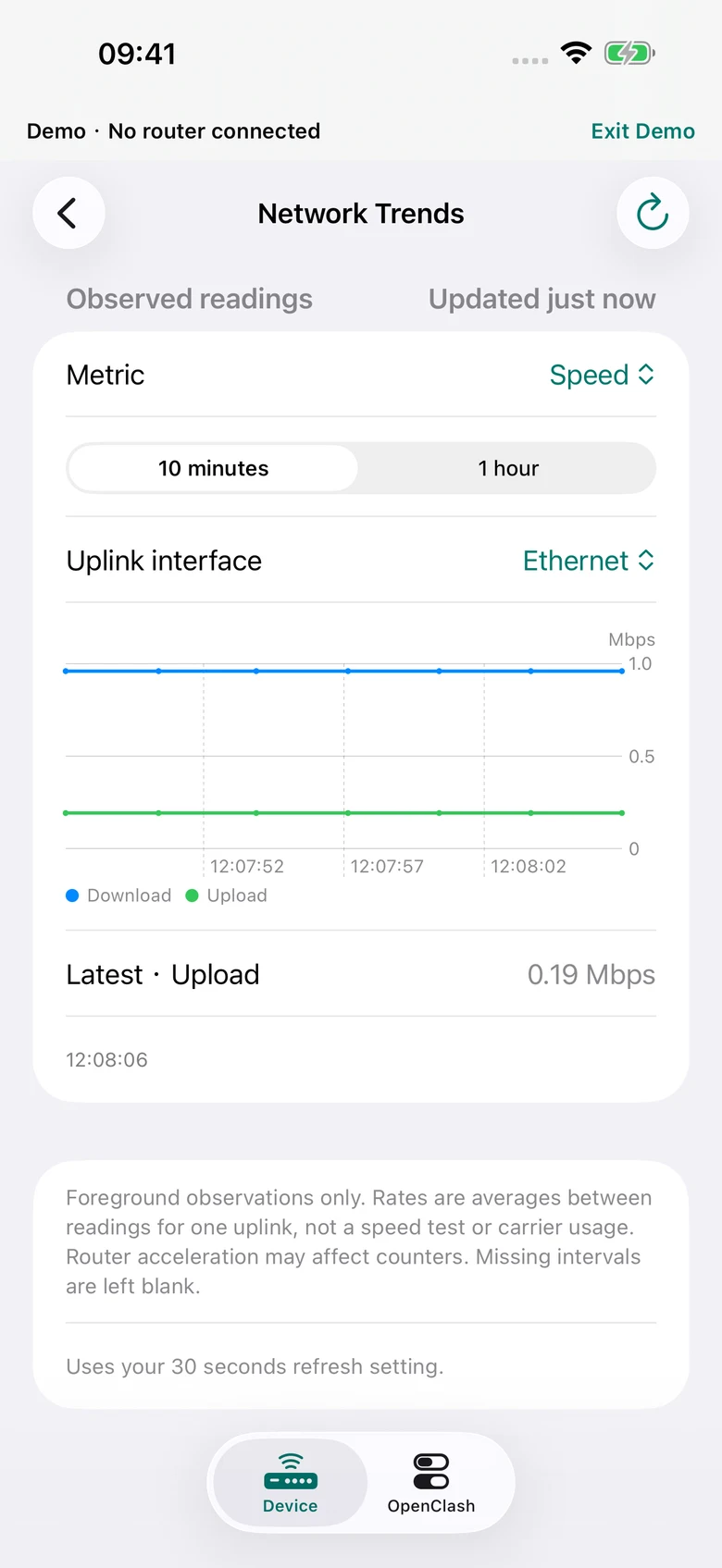
Trends are kept in session memory for up to one hour, with a bounded number of samples. Closing the app cannot reconstruct an earlier signal drop. Signal bars are a coarse router-reported measure; they are not a throughput guarantee.
Understand the event timeline
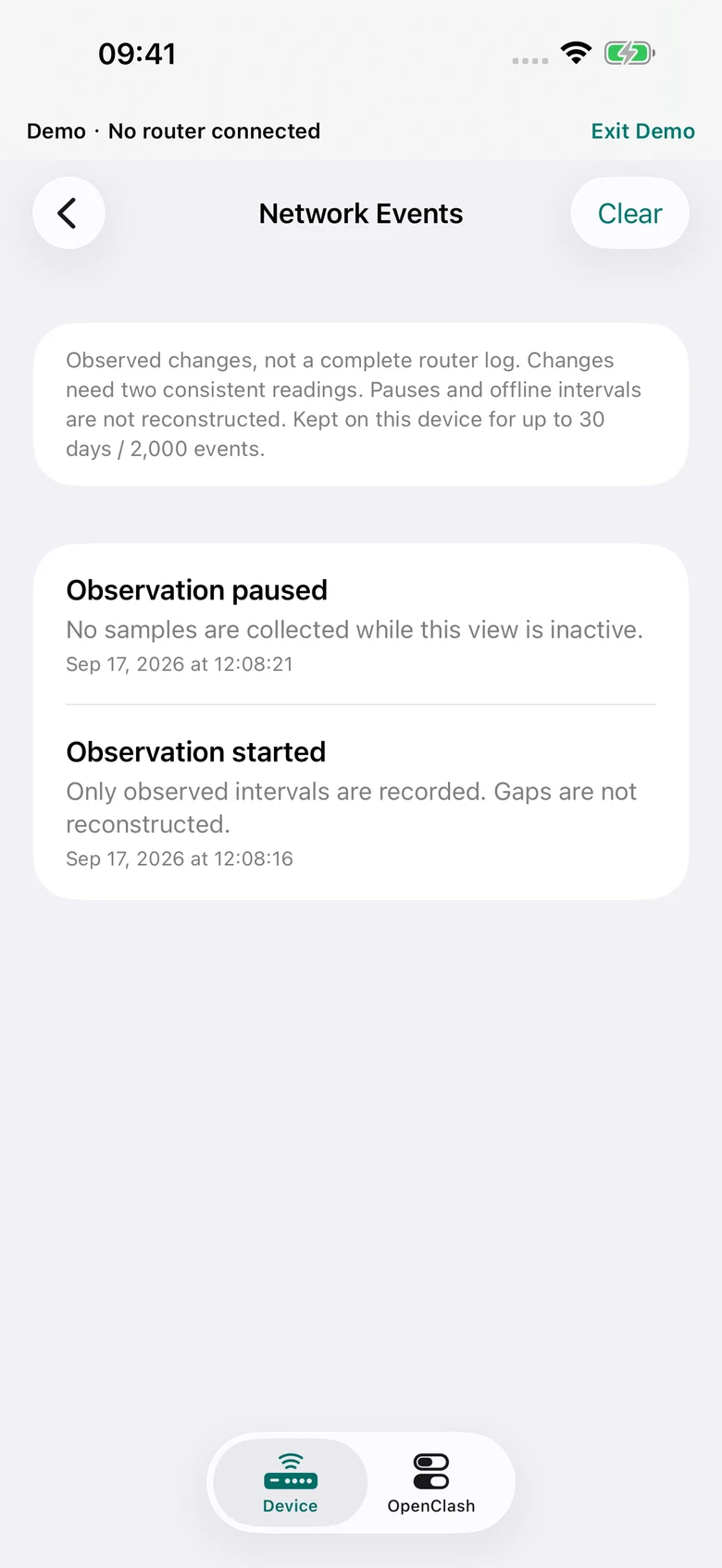
Open Device → Network Events. The app records observation starts and gaps, and supported changes such as uplink availability, SIM slot, network mode, charging state or uptime. Changes need consistent observations; this is not a raw router log or complete outage history.
Events stay locally on your device, scoped to the paired router, for up to 30 days or 2,000 records. They omit passwords, subscriber identifiers, Wi-Fi names, client addresses and browsing destinations. Use Clear to delete them; Forget Router also clears the current pairing’s events.
Diagnose one layer at a time
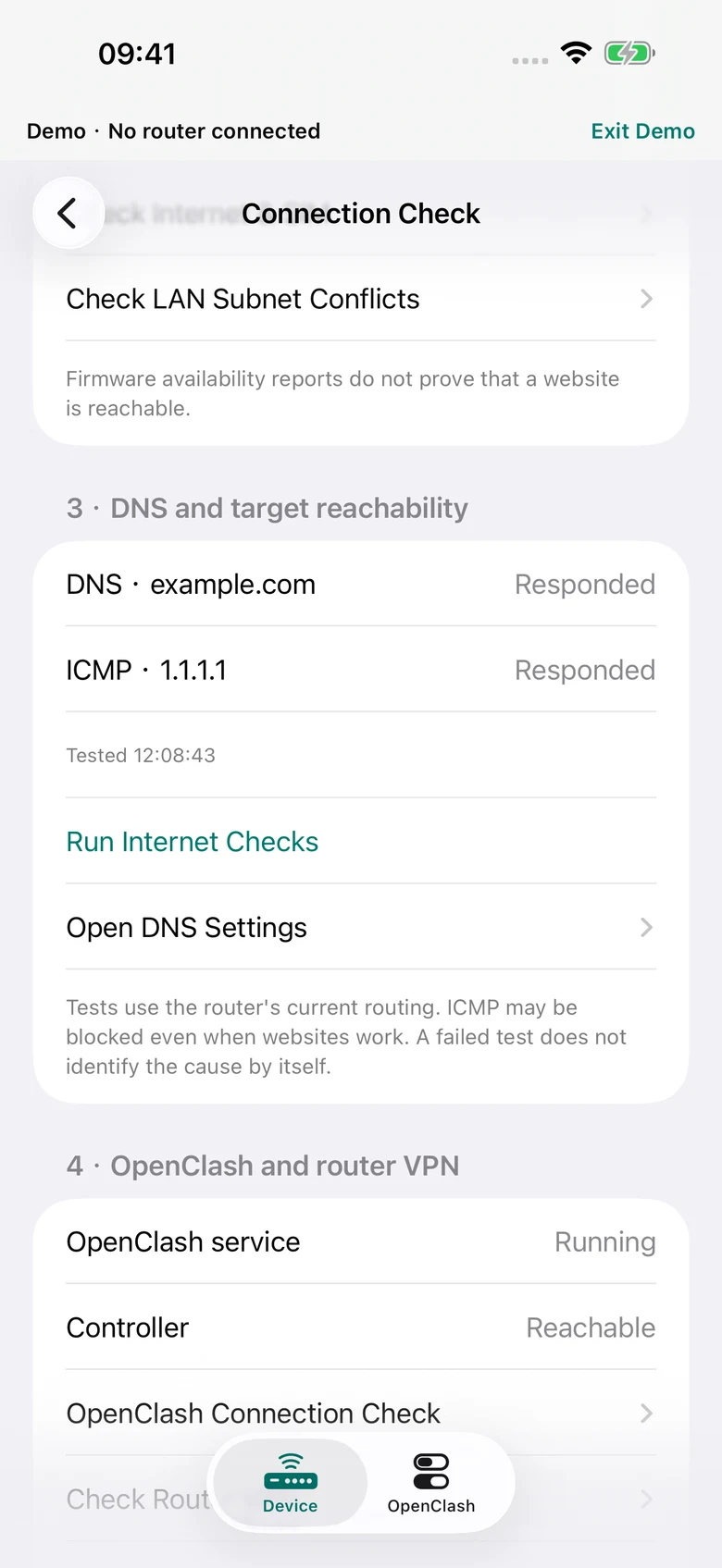
Open Device → Internet & SIM → Connection Check.
- App to router: an SSH connection establishes local control access.
- Router uplink: firmware reports which uplinks are available. This alone does not prove internet access.
- DNS and target reachability: an explicit confirmation lets the router resolve
example.comand send three pings to1.1.1.1. These requests contact external services. - OpenClash and router VPN: inspect service/controller status and open the related controls.
A failed ICMP check is not proof that every website is unreachable: networks may block ping. An enabled VPN or running OpenClash process is not proof of a working route to a particular destination.
Set a sensible refresh interval
Settings → Refresh offers Automatic · While Open or Manual. Automatic intervals are 10, 30, 60 or 120 seconds, with 30 seconds as the default. More frequent reads may use more router battery; battery impact has not been measured.
Automatic refresh pauses for editing and stops when the app becomes inactive or goes into the background. The separate signal, trip and connection monitors require an explicit start. On iPhone and iPad, widgets show a saved reading and its age; they do not independently connect to the router.
What continuous local history would require
The new Local History entry checks router tools and resources. It does not install or start a recording service. Optional traffic history requires a compatible existing recorder such as nlbwmon; that records traffic accounting, not every signal or temperature metric. Its counters also need a known accounting period and are not carrier billing or remaining allowance.
See the privacy policy for local retention and external requests, or contact support if a reading is unavailable. Never include router passwords or unredacted configurations in support mail.